Practice platform + your own app

Your whole practice.
One platform.

Scheduling, consultations, invoicing, inventory, bookkeeping and reporting — all in one practice-management platform. Your clients get their own app to go with it, carrying your name, logo and colours in the App Store and Google Play.

  • Cancel monthly
  • Hosted in the EU
  • No tracking
app.zoravet.com
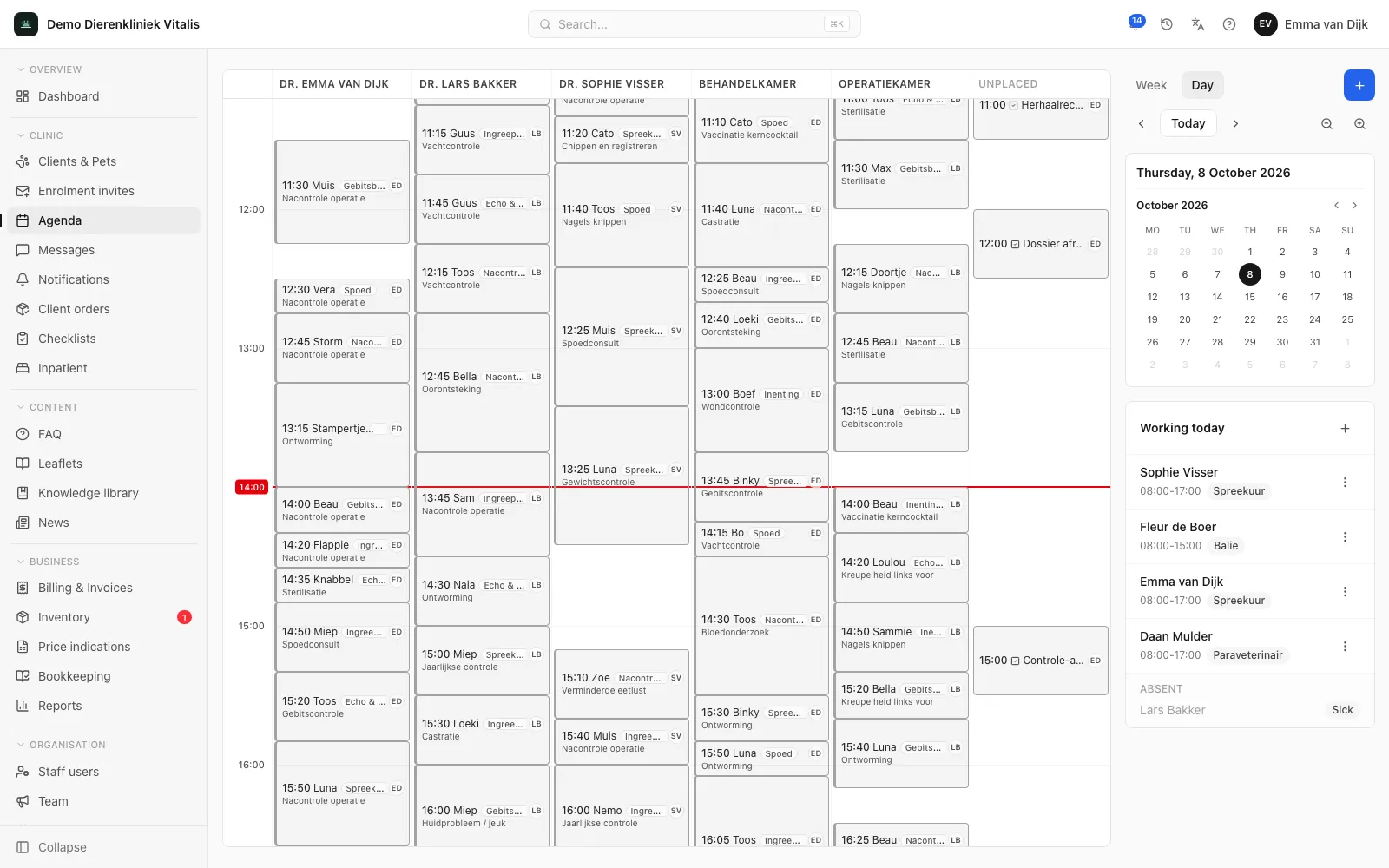
The Zoravet clinic portal showing the day's appointments colour-coded by status.
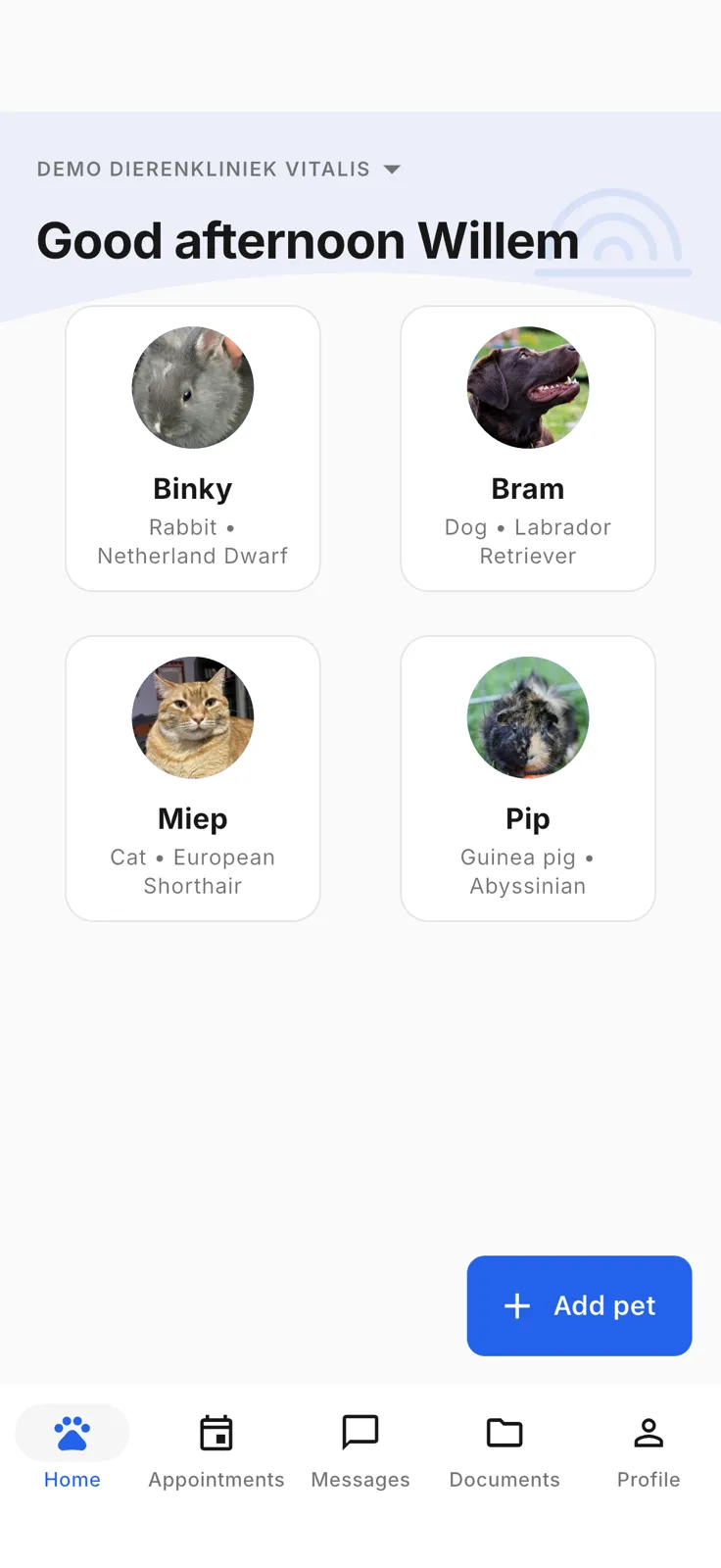
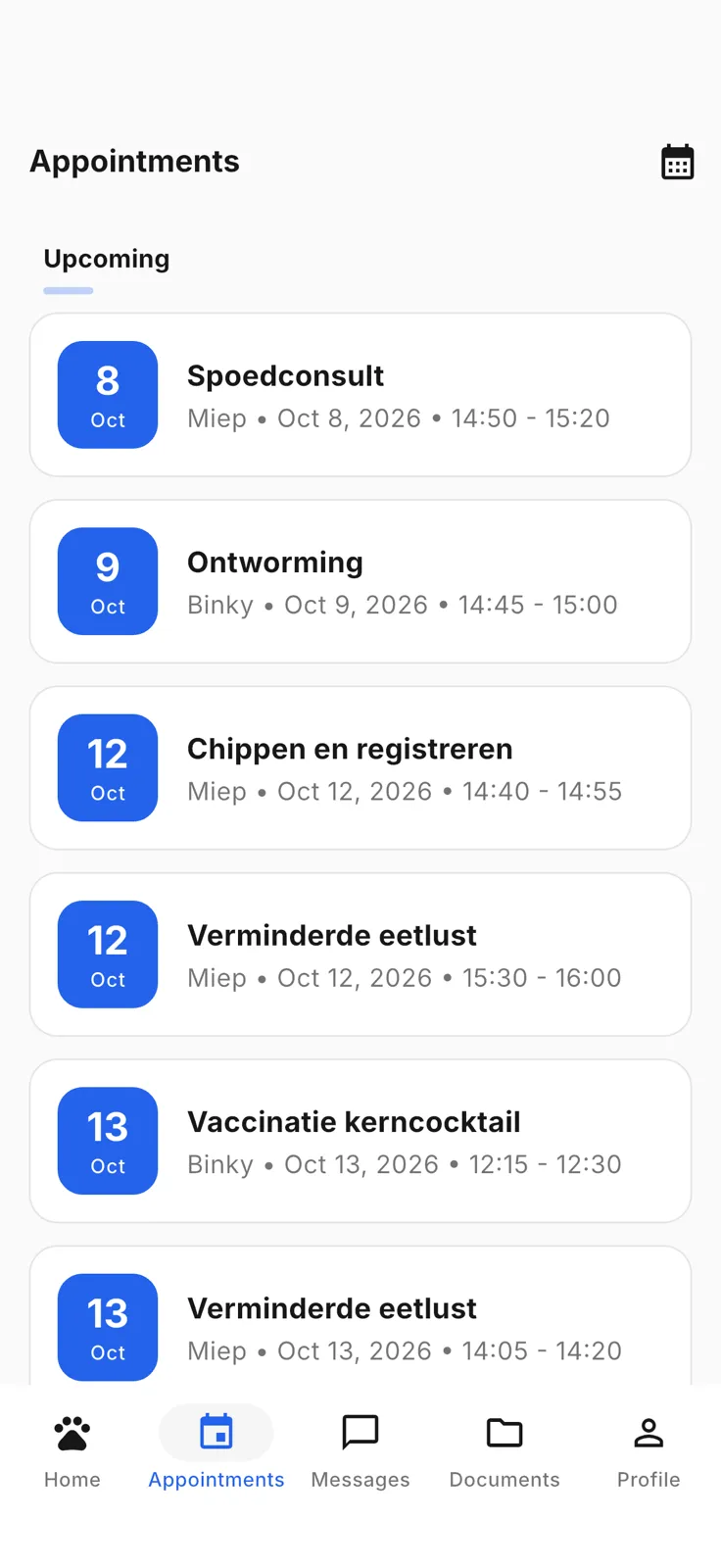
The Zoravet app carrying your clinic brand on a phone.

Sound familiar?

The phone never stops ringing for repeat prescriptions and food orders.

Questions come in via WhatsApp, email and the front desk — nothing lives in one place.

Reminders for vaccinations and check-ups cost your team hours every week.

For the practice

One platform for the whole clinic

From the first appointment to the VAT return — one platform that works, not a loose patchwork of tools.

01

Scheduling

Run the day from a single day view with several clinics side by side — for example a surgery theatre and a vaccination clinic separate from regular consultations. Every appointment is colour-coded by status — planned, arrived, in consult, done — and clients using the app automatically see their own appointments.

app.zoravet.com
Day view in the Zoravet clinic portal with appointments in different statuses across several clinics.
02

Consultations & treatments

Record history, diagnosis and the products used for each consultation, linked directly to the animal’s patient record. A consultation is settled in the same step and the report can be shared with the client.

app.zoravet.com
A completed and paid consultation with history, diagnosis and a product line.
03

Invoicing & point of sale

Invoices are created automatically from completed consultations, with card and cash payments and open or partially paid status in a single overview. No double work between the treatment room and the front desk.

app.zoravet.com
Invoice overview with paid and partially paid invoices.
04

Inventory & orders

Track stock by product, category and batch. Every product used in a consultation is deducted from stock automatically, with FEFO batch logic for medication that has to be used up first.

app.zoravet.com
Product overview in the inventory module with categories and article codes.
05

Bookkeeping EU VAT return-ready

VAT overviews following the standard Dutch return boxes (1a to 5b, balance) are ready for filing, complemented by a fixed-asset register with depreciation and journal entries. Return-ready instead of loose calculations after the fact.

app.zoravet.com
Quarterly VAT return overview with the standard Dutch return boxes.
06

Reports

Revenue analysis by category — consultations, medication, food — shows at a glance where the practice’s revenue comes from, without a separate export or spreadsheet.

app.zoravet.com
Revenue report by category with percentages and totals.
07

Rota & HR

Set a weekly pattern per staff member and see the schedule for the current week straight away. The HR overview shows sick days and leave alongside planned versus actual hours worked.

app.zoravet.com
Staff rota with a weekly pattern and the schedule for the current week.
08

Team communication

One internal notice board for announcements — a new colleague, a rota change, a reminder about leave requests — so the whole team stays informed without scattered WhatsApp groups.

app.zoravet.com
Team notice board with internal announcements.
09

Clients & messages

One client list with animals, records and contact details, linked directly to the messaging channel in your client’s app. Questions arrive next to the record, not in a separate inbox.

app.zoravet.com
Client list with animals and contact details.
Set up fast

Get going without a blank screen

New clinics don’t start from scratch. The Companion Animals starter template fills in units, categories, appointment and task types, payment methods and standard texts in one go — only where nothing was set yet, so existing settings stay untouched.

  • One choice at the start: set it up yourself or start from the template.
  • A getting-started checklist with a status for each step; the whole team sees the same progress.
  • Template items stay flagged as "review recommended" until someone confirms them.
app.zoravet.com
The getting-started checklist in the clinic portal, with a status for each step.
How you go live

From sign-up to your own app — in four steps

Not a months-long project. A set path with a template, data migration and a checklist your team ticks off together.

  1. 1

    Sign up

    Book a demo, choose your plan and we create your clinic in the portal.

  2. 2

    Set up with a template

    The Companion Animals starter template pre-fills units, categories, appointment types and rates.

  3. 3

    Data migration

    We transfer your client and patient-record data from your current software in a structured way.

  4. 4

    Go live

    Your white-label app is in the stores and your team works through the getting-started checklist.

For the pet owner

The same data, in your own app

Everything that happens in the portal above flows straight back into your client’s app — with your name, logo and colours.

Messages

One channel for every client question. Your client no longer messages you all over the place via WhatsApp, email and the front desk, but asks neatly in the app. You reply whenever it suits you.

Messages screen in the Zoravet app.

Reminders

Automatic push notifications for vaccinations, check-ups and follow-up appointments. Fewer no-shows, less calling by hand, and your client never forgets that annual shot again.

Reminders screen in the Zoravet app.

Orders

Clients order food and repeat medication straight from the app. You track every order with status updates — requested, ready, collected — so no one has to call any more.

Orders screen in the Zoravet app.

News

Share adjusted opening hours around holidays, a new colleague or a promotion. One message and everyone is up to date, without relying on social media.

News screen in the Zoravet app.

Loyalty card

A digital loyalty card that keeps clients coming back. No more paper cards that get lost — collecting and redeeming happens automatically in the app.

Loyalty card screen in the Zoravet app.

Record access

Clients can simply see their animal’s vaccinations, treatments and weight. Fewer calls asking "when was that shot again?" and more calm at the front desk.

Record access screen in the Zoravet app.
White-label

Your brand in the app stores

The app carries your name, your logo and your colours. In the App Store and Google Play it’s your clinic on show, not ours. To your clients it feels like your own app — because it is.

  • Your own name, icon and colours, right down to the app icon on the phone.
  • Full onboarding for €340 one-off — we handle everything, from branding to publication.
  • The store accounts are registered in your clinic’s name, so you keep control yourself.
App Store
Linden Veterinary Clinic Your clinic · Health
Get

Example — your name, icon and colours.

Security & compliance

Trust is the starting point

What we’ve put in place in practical terms — no vague promises.

Tenant isolation

Data from different clinics is strictly separated at every layer of the platform. There is no path by which one clinic can view another’s data.

Per-clinic IP restriction

Limit access to the portal to a fixed range of IP addresses, with a per-staff exception for anyone who needs to log in remotely.

Hosted in the EU

Encrypted in transit and at rest, daily backups, no tracking or advertising cookies.

Our security policy and incident process are built on the principles of the NIS2 Directive and the GDPR. You receive the data-processing agreement and the full privacy policy during onboarding.

Pricing

Clear pricing, no surprises

Two plans, everything included. Radically clear — as it should be.

1,000

Slide to your number and the prices update live. You always pay based on the measured number of active clients in the portal.

Communication

The white-label app for your clients

from €95 /month

up to 1,000 active clients

  • + €30 /month per additional 500 active clients
  • €340 one-off onboarding — we take care of everything
  • Cancel monthly no annual contract

Active clients are the clients marked as active in the portal. You decide that yourself; the portal suggests clients who have not visited for a long time.

Store accounts (Apple and Google, ± €110 per year) are registered in your own clinic’s name.

Frequently asked questions

What you probably want to know

What about the GDPR and my clients’ data?

All data sits on European servers (AWS in Frankfurt, Germany). We do no tracking or advertising, and there are no cookie banners or analytics trackers in the portal or the app. Your clinic remains the owner of the data; we only process it on your behalf.

Does this replace my current practice software?

Zoravet is a full practice-management platform: scheduling, consultations, invoicing, inventory, bookkeeping and reporting are all included. Coming from Animana, Provet or something else? We transfer your client and patient-record data in a structured way during onboarding.

How long does setup take?

For Communication, the one-off onboarding of €340 covers the full setup: your branding in the app, the store listings and the transfer of your client data; the store review by Apple and Google usually takes a few working days. For Complete practice, setting up your practice is added — scheduling, rates, inventory and bookkeeping — plus the migration of your existing data. The Companion Animals starter template pre-fills common settings; expect one to two weeks before you are working in it fully.

Who owns the data?

Your clinic. Zoravet processes the data on your behalf and never uses it for its own purposes. The store accounts are registered in your clinic’s name too, so you keep control yourself.

Can I cancel monthly?

Yes, cancel monthly. No annual contract and no months-long notice period — you are not tied to anything.

Ready to see your whole practice in one place?

Book a 30-minute demo. We’ll show you what the portal and your own app will look like and answer all your questions — no obligation.

Book a demo