Invoicing and point of sale for the veterinary practice
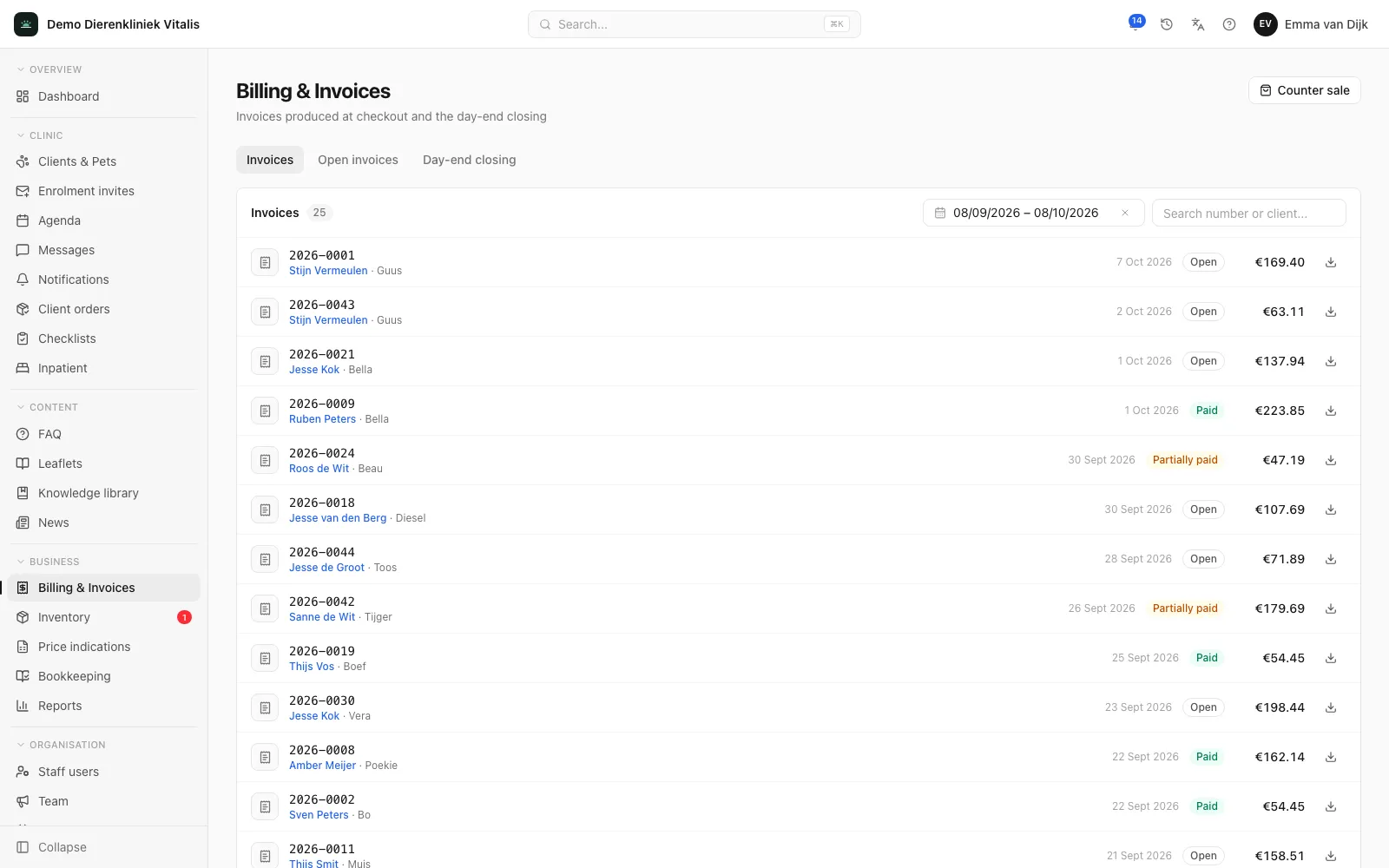
Invoices are created automatically from completed consultations, with card and cash payments and outstanding or partially paid status in one overview. No duplicate work between the treatment room and the front desk.
What it does for your practice
A completed consultation automatically becomes an invoice, procedures and products included. The front desk never types anything in twice.
Card and cash payments are recorded on the invoice straight away, even when a client pays in instalments.
Paid, partially paid and open invoices sit in a single overview, so you can see at a glance what needs chasing.
Every invoice and payment lands in the bookkeeping module, with VAT following the Dutch return boxes.
Frequently asked questions
Do I have to create invoices separately after a consultation?
No. Invoices are created automatically from completed consultations, procedures and products included. At the desk, you take payment by card or cash on the spot.
Can I see which invoices are still outstanding?
Yes. The invoice overview shows paid, partially paid and open invoices in one list.
Ready to see your whole practice in one place?
Book a 60-minute demo. We’ll show you what the portal and your own app will look like and answer all your questions, with no obligation.
Book a demo